How We Built a Power BI Retail Dashboard on Real, Anonymized Sales Data
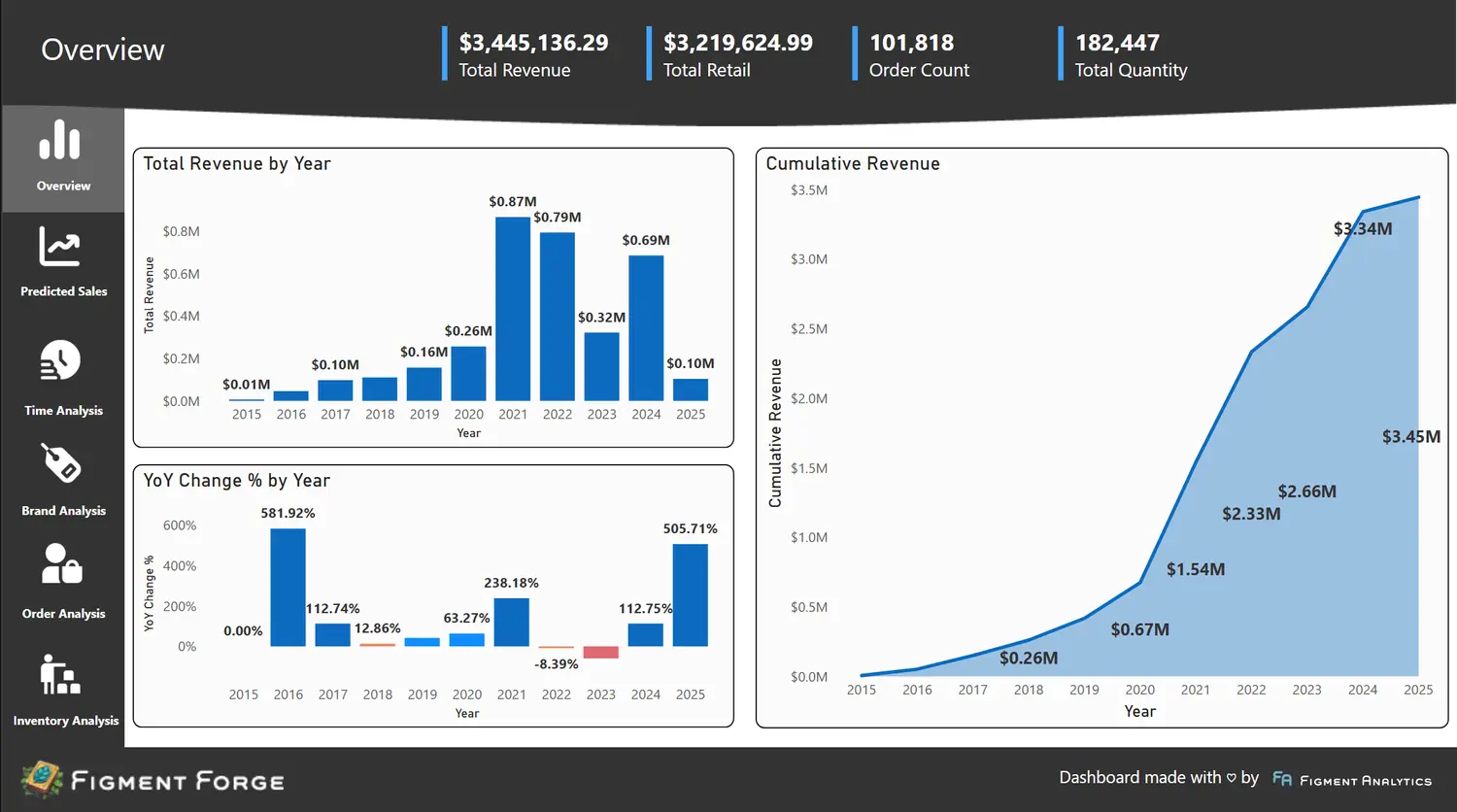
Most portfolio dashboards are built on sample datasets. They look fine, but they skip the hard part: real data is never that tidy. So for Figment Forge, we built pro bono on the data of a real retail business, with over $1 million in revenue across more than 100,000 orders.
The business agreed to a public showcase. Before publishing, we anonymized everything: dollar amounts were randomized within realistic ranges and product names were replaced with invented ones. The patterns and scale are real. The specific numbers are not.
Why Real Data Matters
A sample dataset has one clean table and no surprises. A real retail business has sales transactions, inventory records, and customer data that were never designed to work together. Building on real data meant solving the same problems a paying engagement would: joining sources that do not line up, deciding which numbers to trust, and designing for the questions an owner actually asks.
What We Built
We started by consolidating the data sources into a single pipeline. Sales transactions, inventory records, and customer data all flowed into one clean dataset.
From there, we built a six-page Power BI dashboard covering every angle of the business:
- Sales Performance: Revenue trends, order volume, and average order value over time
- Brand Analysis: Side-by-side comparisons showing which product lines drive revenue and which lag
- Customer Segmentation: Data-driven customer groupings for targeted marketing
- Inventory Health: Stock levels tied to sales velocity
- ML Forecasting: Python-built models projecting future sales trends
- Executive Summary: One page with the numbers that matter most
The ML Forecasting Layer
The forecasting component was built in Python using historical sales patterns and seasonal trends. We trained the models on the order history, validated them against hold-out periods, and integrated the predictions directly into the Power BI dashboard.
The result is a forward-looking view based on actual sales history, not a spreadsheet formula someone wrote three years ago.
Lessons for Your Business
You don't need a data warehouse to start getting value from your data. (Not sure if Power BI is the right tool? Read our Power BI vs Tableau comparison.) If your team is making decisions on gut instinct because pulling together an accurate report takes too long, a well-built dashboard can change that in weeks, not months.
The key is starting with the decisions you need to make, not the data you happen to have. We start every project with one question: "What do you wish you could answer right now?" That question shapes everything after it. If you are wondering whether your business is ready for outside help, read why growing businesses are choosing fractional data teams.
If this sounds familiar, explore the live Figment Forge dashboard, or see how our Dashboard Sprint builds one on your own data in ten business days.